Every challenge is a chance to learn. And as a developer, we face them quite frequently.
Sometimes a product decision lands on your desk that sounds straightforward, but whether it becomes scalable and maintainable depends entirely on how you build it. And honestly, it’s not just the product’s fate at stake — it’s yours too. I didnt wanted to be hauted by bugs at night.
That’s exactly what happened to me not too long ago and here is how i dealt with it.
The Problem: Two Places, One Codebase
We have a new requirement which states build a large, self-contained feature — let’s call it Feature X — that would initially live inside our main Flutter app, but was always intended to eventually spin off into its own standalone application.
On the surface, it looked easy write the code and, when the time comes, just copy it over. Hurray, job done.
Well, come closer. Let me say something:
It’s not a good idea.
If we went with copy and paste, here’s what we’d have to live with:
- Every bug fix has to be applied in two places
- Every new addition has to be duplicated across two codebases
- Any drift between the two versions becomes a silent, creeping problem
- When it’s finally time to extract it, you’re not doing a clean lift — you’re doing archaeology (basically digging your own grave)
I’d been down that road before. I knew how it ends.
There had to be a better way.
Discovering Modularization
I did what most engineers do when a problem doesn’t have an answer.
No, I didn’t go to the Himalayas and meditate until enlightenment hit me.
I looked for solutions.
And that’s when I came across modularization — a software design approach where you break your app into independent, self-contained modules, each responsible for a specific piece of functionality.
This man deserves some appreciation. His explanation of Flutter modularization genuinely helped me understand the concept much better - Mastering Flutter Modularization in Several Ways
In Flutter, this means treating parts of the app as separate packages that can be developed in isolation and plugged in wherever needed.
Think of it like building with LEGO bricks instead of carving everything from one giant block of wood.
The moment I understood this, the solution clicked.
How I Structured It
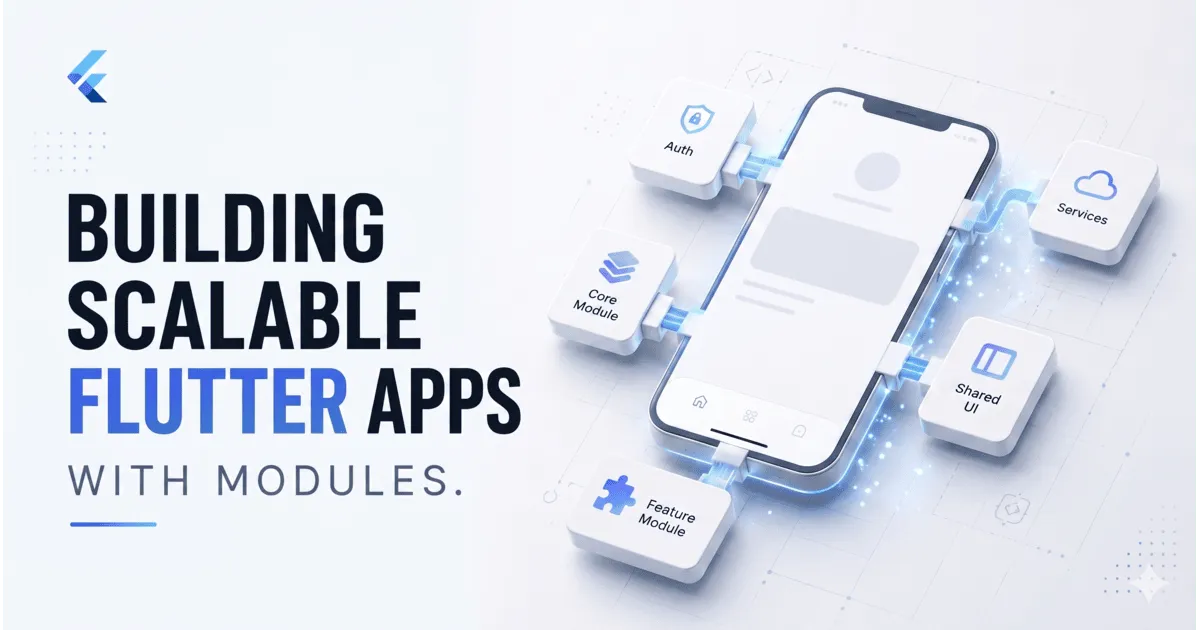
Given the requirements, I mapped the app into three modules.
1. Common/Core Module
Shared resources that everything else depends on:
- Design tokens
- Color palettes
- Typography
- Themes
- Reusable widgets
One source of truth for the visual layer.
2. Feature X Module
The entire new feature lived inside its own package.
It could be developed, tested, and eventually extracted with almost zero impact on the rest of the app.
3. Auth and Services Module
Everything related to authentication and shared services:
- Sign in
- Sign up
- Password reset
- Session management
- Logging
- Tracking
All authentication and app services lived in one place and could be reused across both the main app and Feature X without duplication.
Published vs. Unpublished Packages
Flutter gives you flexibility here.
You can either:
- Publish a package to pub.dev (or a private registry like GitHub) and consume it like any other dependency
- Keep it local/unpublished, where the package lives inside your project directory and is referenced via a local path in
pubspec.yaml
For this project, I went with the local/unpublished approach during development.
The biggest advantage?
You still get Hot Reload.
Make a change inside the package, hit hot reload, and the changes reflect immediately in the running app.
No publish-pull cycle. No unnecessary version bumps in the middle of development.
Once things stabilized, the plan was to move the modules into a private repository.
Here’s what the local module setup looked like:
| |
Simple. Clean. And it works exactly like any other package.
What Actually Changed
The impact was noticeable almost immediately.
Most of the hard work was done while sharpening the blade. Once it’s time to cut, the execution becomes clean.
Cleaner Mental Model
When I was working on Feature X, I was only looking at Feature X code. No risk of accidentally touching unrelated parts of the main app.
Faster Iteration
Changes inside modules hot-reloaded just like normal app code. The development loop stayed fast.
Future-Proofing Built In
When the time comes to extract Feature X into its own standalone app, it’s mostly a matter of pointing a new pubspec.yaml to the same module.
The feature code doesn’t change. The module doesn’t change. Only the consumer changes.
Shared Logic, Zero Duplication
Auth and common UI components lived in one place and were reused everywhere. Fix it once. Fixed everywhere.
When Does Modularization Make Sense?
This approach isn’t always necessary. For a small app with a stable scope, modularization can become unnecessary complexity. But it makes a lot of sense when:
- A feature is likely to become its own product
- Multiple parts of the app share significant logic or UI
- You want stronger boundaries between domains
- Multiple developers or teams are working in parallel
- You want reusable internal packages across projects
For me, it was clearly the right call.
The alternative — duplicating the codebase and trying to keep everything in sync — would have cost far more time and peace of mind in the long run.
And for indie developers, this can be even more useful. Having reusable internal packages for things like:
- Notifications
- Logging
- Analytics
- Theming
- Shared services
can massively speed up future projects.
Final Thoughts
Modularization isn’t magic. It does come with its own pros and cons:
- You need to think about boundaries early
- The project structure becomes more involved
- Dependency management requires discipline
Everything just payed off quickly. All the hard work done initially saved me from maintaining parallel codebases or untangling a monolith months later.
If you’re building a Flutter project that’s starting to grow, it’s worth asking:
Should this be a module?
Very often, the answer is yes.
And it’s much easier to make that decision before as it says “precaution is better than cure.
Have questions or want to share how you’ve structured modularization in your own Flutter projects? I’d love to hear.