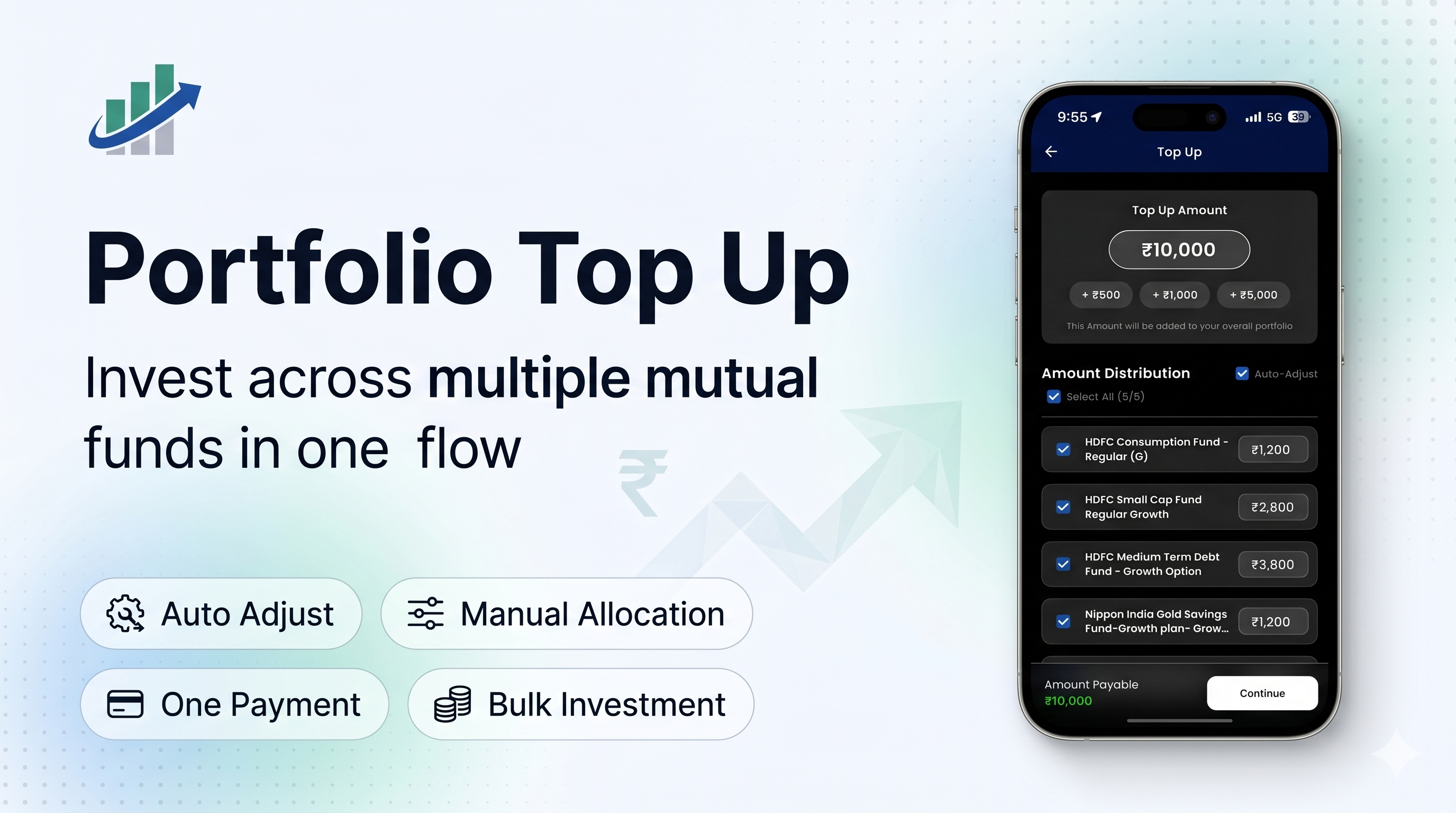
Investors often add money to their existing mutual fund portfolio over time — after a salary credit, annual bonus, or simply when they have extra cash available.
But increasing investments across multiple funds has traditionally been a repetitive process.
Users typically need to:
- open each scheme individually
- enter an amount
- complete payment
- repeat the same flow again
This works when investing in one scheme.
Not when managing an entire portfolio.
To simplify this experience, we built Portfolio Top Up — a feature that allows users to invest across multiple mutual funds in a single flow.
Users can now:
- enter a total top up amount
- choose which schemes to invest in
- automatically distribute the amount
- manually adjust allocations if needed
- complete payment once
Simple on the surface.
But there were a few interesting product and engineering problems underneath.
Thinking at a Portfolio Level
Most investing platforms are designed around a scheme-first experience.
We wanted to shift the interaction toward a portfolio-first mindset.
Instead of:
“I want to invest separately into multiple funds.”
The intent becomes:
“I want to add ₹10,000 to my portfolio.”
That small shift changes the entire interaction model.
Auto Adjust: Maintaining Portfolio Allocation
One of the biggest product questions was:
How should the entered amount be distributed across schemes?
We introduced Auto Adjust.
When enabled, the entered amount is allocated proportionally based on the user’s existing portfolio distribution.
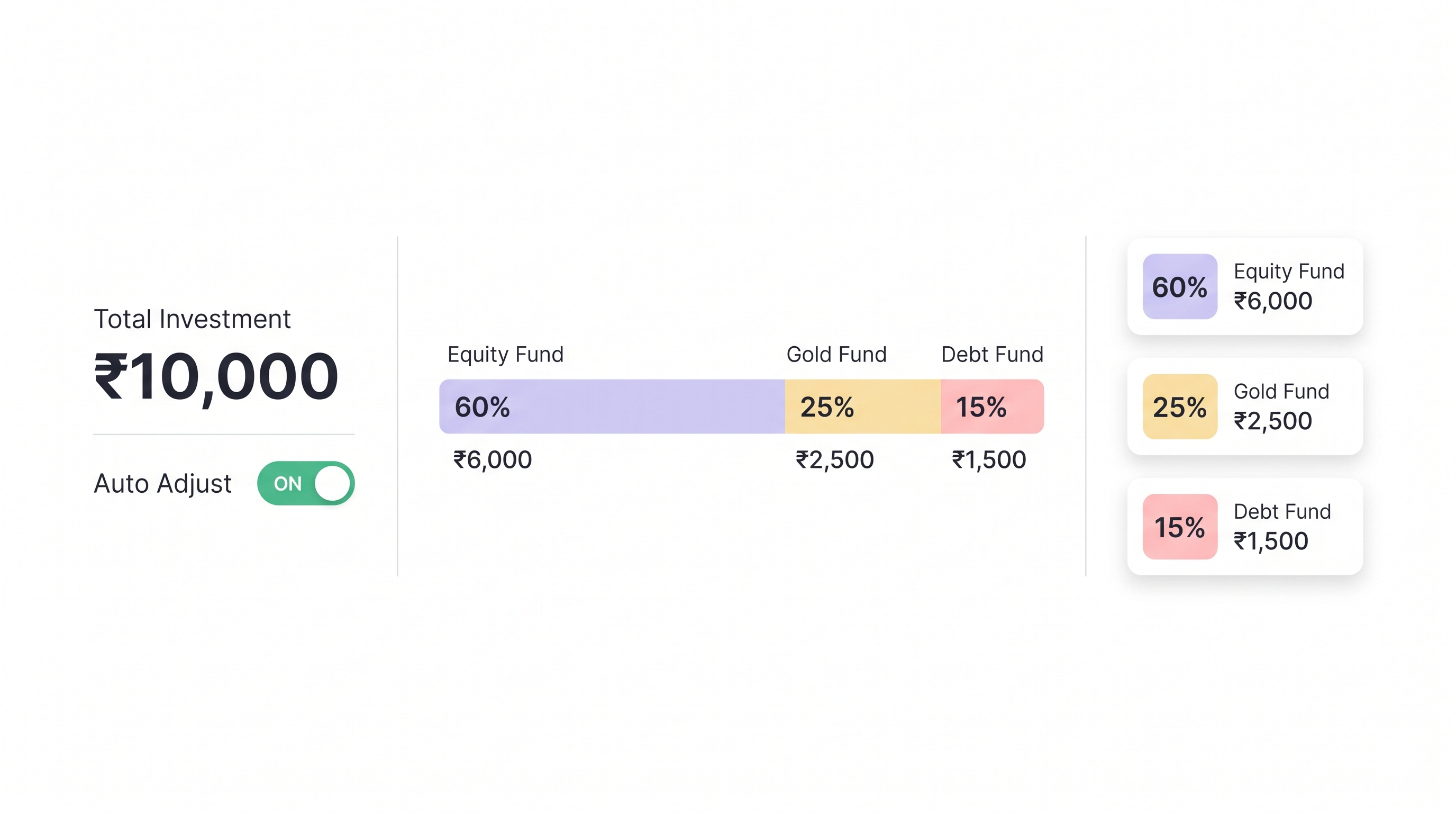
This helps users maintain their existing portfolio allocation automatically without manually calculating values.
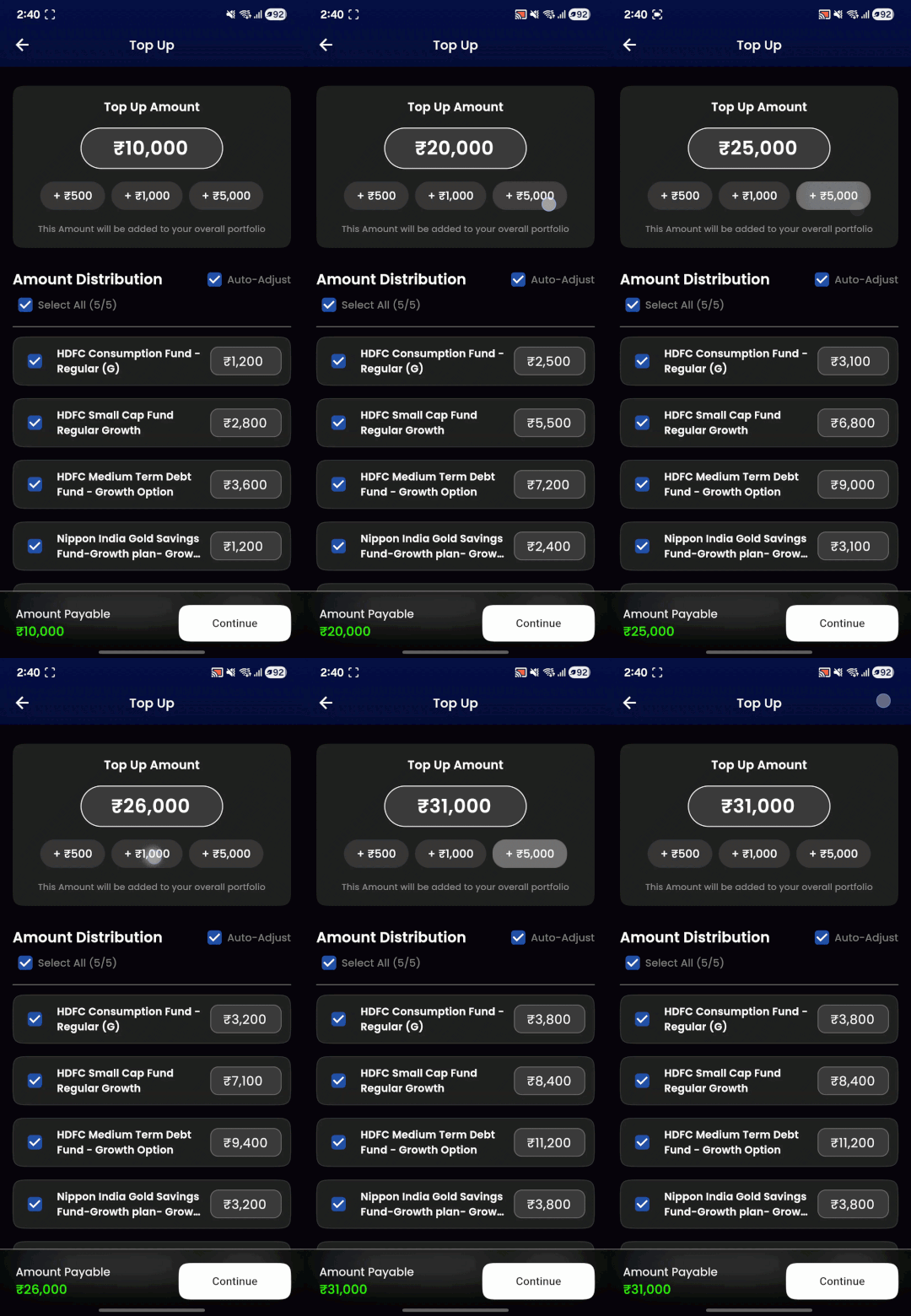
Automatic proportional allocation across schemes
Manual Allocation for Flexible Investing
Not every investor wants proportional allocation.
Some users may want to:
- skip a scheme
- invest more into one fund
- reduce allocation somewhere else
So every allocation remains editable.
Users can manually adjust any amount at any point in the flow.
Once edited, the allocation becomes user-controlled instead of system-generated.
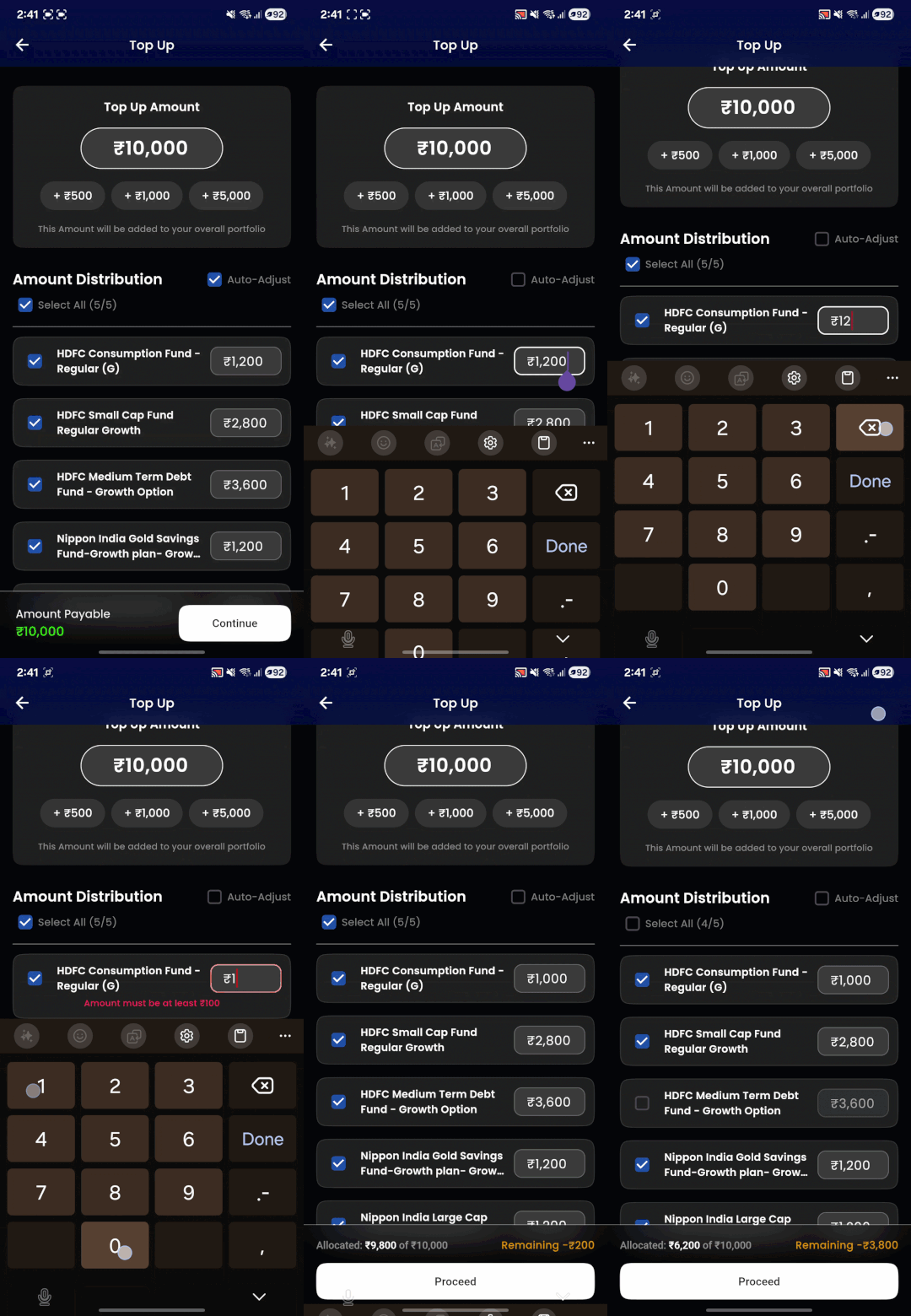
Manually adjusting scheme allocations
Handling Real-World Investment Constraints
The feature also needed to account for operational constraints that exist in mutual fund investing.
Note: All investments made through Portfolio Top Up are processed as lumpsum payments. Because of this, schemes that do not allow lumpsum investments are not eligible for top-ups.
For example, some schemes enforce minimum lumpsum investment amounts.
Example
- minimum investment = ₹5,000
- allocated amount = ₹1,100
In such cases, the system surfaces inline validation errors and prompts users to adjust allocations before proceeding.
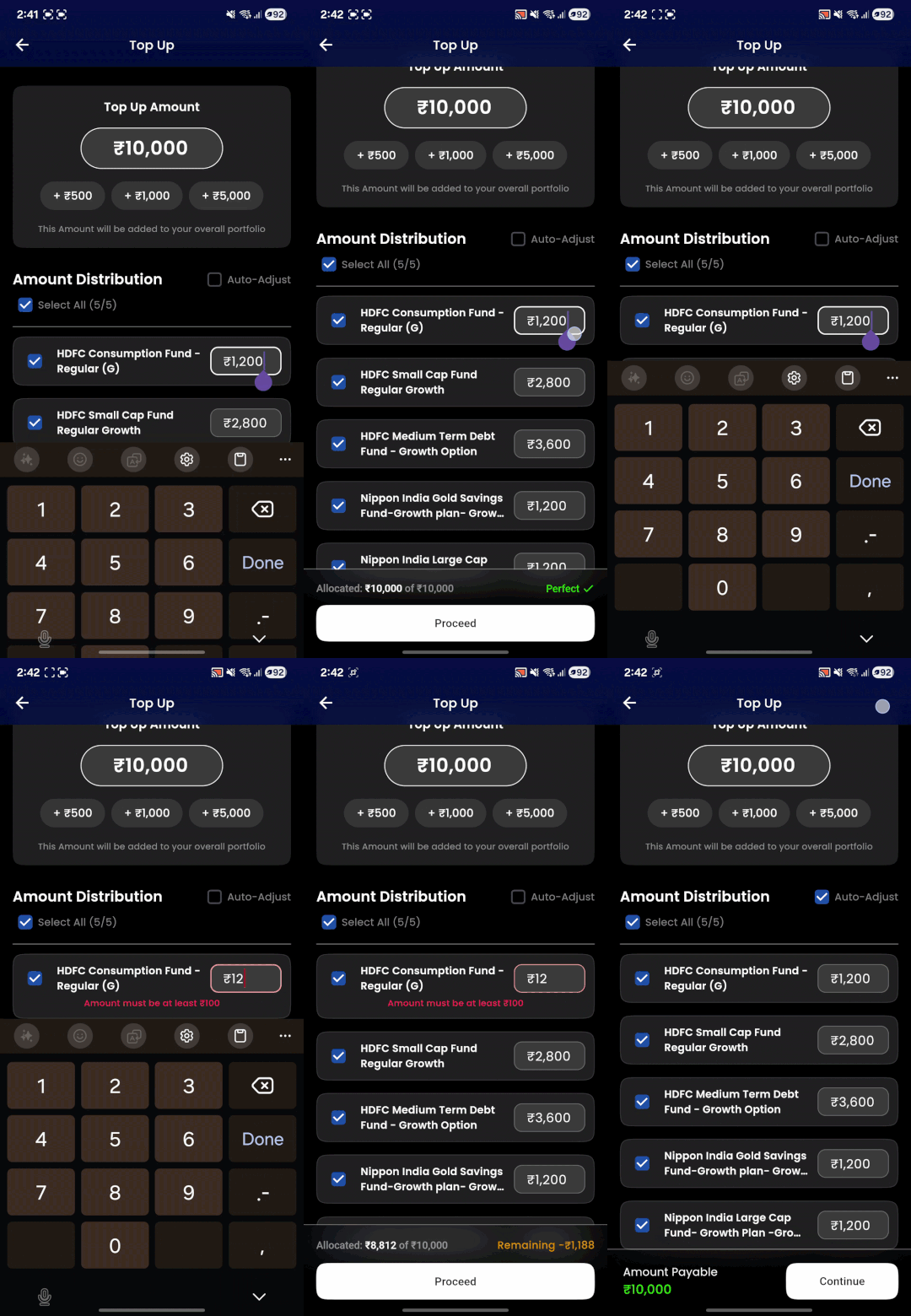
Inline validation for minimum investment rules
Another interesting challenge was allocation rounding.
Since investments are rounded to ₹100 multiples, proportional distribution can create small remainder differences.
To ensure the final invested amount always matches the user-entered total, the remaining balance is intelligently redistributed across schemes during allocation.
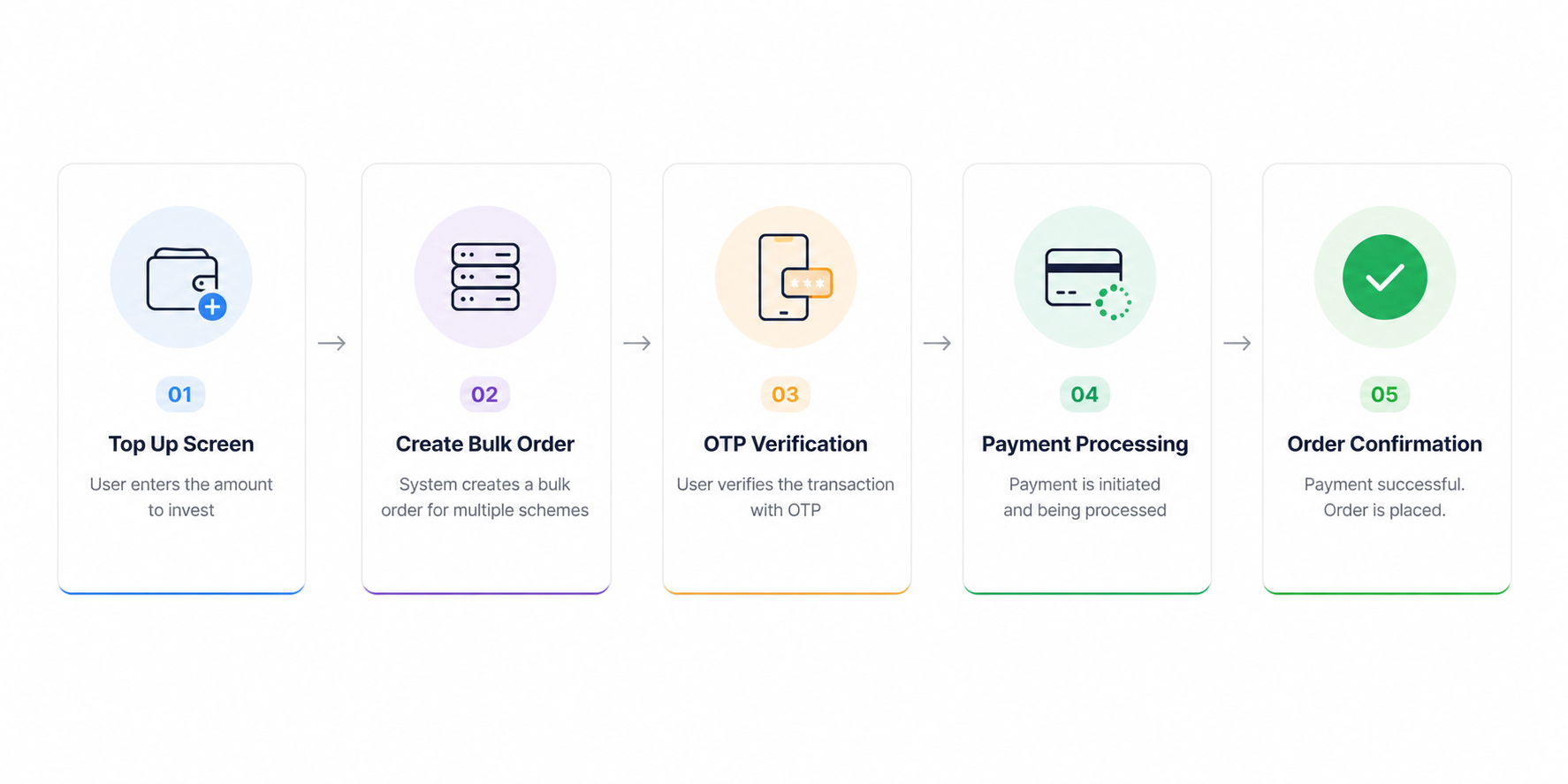
Making Multiple Investments Feel Like One Transaction
Even though users are investing into multiple schemes underneath, the experience should still feel seamless.
The final flow looks like this:
What’s Next
Portfolio Top Up is still evolving. Here are a few improvements we’re planning:
Filtration by fund type — allowing users to top up only specific categories like tax saving (ELSS), index funds, debt funds, or equity funds, instead of always distributing across the entire portfolio.
Smarter auto allocation strategies — beyond proportional distribution, we want to explore goal-based allocation, equal-weight distribution, and rebalancing-aware top-ups that help bring a drifted portfolio back to its target allocation.
The goal is to keep the experience simple while giving users more control over where their money goes.
With this update, investing in your existing portfolio is quick, easy and seamless. Insiders can use this feature in the latest version of the app.
Don’t forget to share your feedback about the same in the comments section below.